Denaro FX
Denaro FX gives any AI agent the ability to move money between fiat currencies through stablecoins. Specifies source and destination currency and Denaro will compare every possible route across chains and providers, and return the cheapest path with ready-to-sign transaction data, handling on-ramp, off-ramp, and the stablecoin sandwich in a single call. This demo operates with real funds on mainnet.
#Quickstart
Denaro is an Agent skill. Drop it into your project and any compatible agent can use it immediately. The agent pays for API calls via x402 (USDC on Base) or MPP (USDC on Tempo), then it uses OWS to sign the resulting transactions.
Copy the skill into your project
npx skills install denaro-labs/fx-owsInstall the OWS CLI
The OWS CLI handles wallet management and payment signing automatically for x402-protected endpoints.
npm install -g @open-wallet-standard/coreCreate a wallet
Fund it with USDC on Base, that's where x402 payments settle.
ows wallet create --name my-agentStart using it
Ask your agent something like:
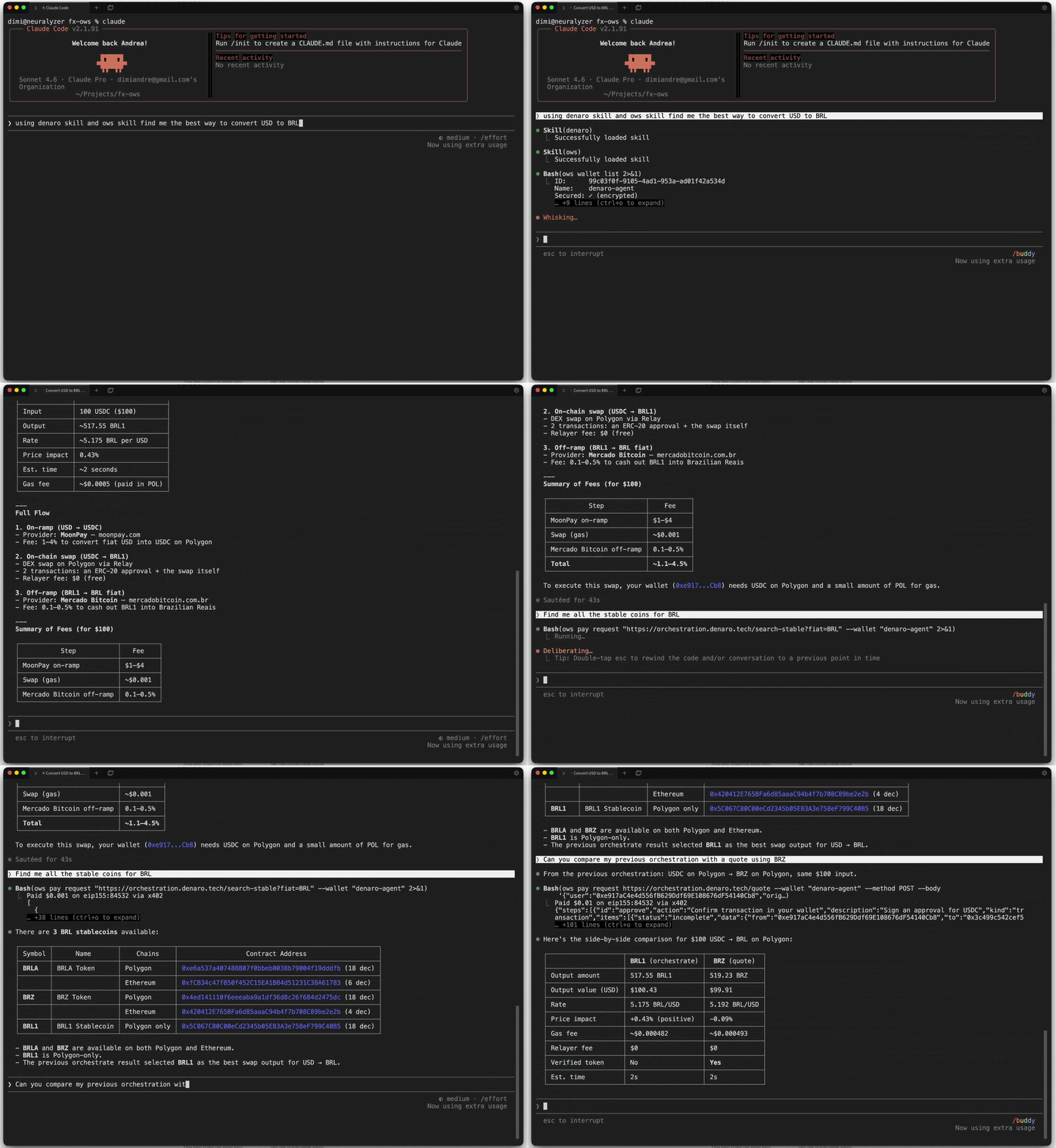
“Find me the best way to convert $100 USD to EUR using stablecoins.”
The agent will call Denaro's /orchestrate endpoint, get the optimal path, and use OWS to sign and broadcast the transaction.
#External resources
x402 Protocol ↗
HTTP-native micropayments by Coinbase. Agents pay for Denaro API calls with USDC on Base via the 402 Payment Required flow.
Machine Payments Protocol ↗
HTTP 402 payment standard by Stripe and Tempo. Supports one-shot charges, streaming sessions, and multiple payment rails.
Open Wallet Standard ↗
Wallet-agnostic CLI for agent-driven signing and transaction broadcasting across any chain.
MoonPay CLI ↗
Your agent gets a wallet, virtual account, zero fee stablecoin onramps, and 20+ skills. Authenticated and ready to transact.